Product Serialisation: A Practical Guide for Manufacturers
Key Takeaways
- Unit-level serialisation assigns a unique, digitally linked identity to every product — enabling anti-counterfeiting, precision recalls, ownership transfer, and EU DPP compliance
- The GS1 SGTIN standard is the interoperable foundation: it combines your GTIN with a unique serial number and is the identifier format the EU Digital Product Passport framework expects
- Implementation follows four steps: generate serial numbers, encode in GS1 Digital Link QR, link to a product database, and print at packaging — each step has practical options for existing lines
- Marginal serialisation cost is £0.01–0.05 per unit; a single imprecise recall affecting an over-broad population costs millions
Most manufacturers know exactly how many units left the factory. They know nothing about where those units went.
That gap — between production counts and individual product lives — is where recalls become disasters, counterfeits thrive, and warranty fraud flourishes. Serialisation closes it. Not the kind where you stamp a batch number on the bottom of the box, but genuine unit-level serialisation: a unique, digitally linked identity for every single product that comes off your line.
This guide explains what that actually involves, how to implement it practically, and why the capabilities it unlocks are worth far more than the cost of the label.
What Serialisation Actually Means
The word gets used loosely, so let's be precise. There are three distinct levels of product identification, and they are not interchangeable.
The Three Levels of Product Identification
| Level | What it identifies | Cost per unit | Key capabilities | EU DPP compliant |
|---|---|---|---|---|
| SKU-level | Product model/variant | Near zero | Inventory, pricing, shelf management | No |
| Batch/lot-level | Production run (hundreds–thousands of units) | ~£0.001–0.01 | Batch recalls, shelf-life tracking, quality investigation | Partial |
| Unit-level | Individual physical product | ~£0.01–0.05 | Anti-counterfeiting, precision recalls, warranty verification, ownership transfer, full DPP | Yes |
SKU-level tracking is what every ERP system does by default. It tells you what the product is, not which one it is. Batch tracking narrows things down to a production run — useful for food safety and pharmaceuticals, but still blunt. A batch recall affecting 12,000 units is very different from knowing the exact 47 that left a particular shift with a faulty component.
Unit-level serialisation means every product has a unique identifier — like a fingerprint — that travels with it from factory floor to end customer and beyond. That is the level this article focuses on, because it is the one that unlocks everything else.
When Each Level Is Appropriate
Not every product needs unit-level serialisation, and being honest about that matters. A £2 consumable accessory in a high-volume low-margin category probably doesn't justify the investment. But for most durable goods manufacturers — appliances, power tools, HVAC equipment, consumer electronics, industrial machinery — the calculus looks very different.
Unit-level serialisation makes clear business sense when:
- Your product has a warranty period (you need to verify legitimate claims)
- Counterfeiting is a risk in your category or geography
- A recall affecting a subset of units could happen (think a firmware batch, a supplier component, a specific assembly shift)
- EU Digital Product Passport compliance is on your horizon (it is, whether you know it yet or not)
- The product changes hands during its lifecycle — through resale, rental, or insurance replacement
Batch-level may suffice when:
- Products are lower-value with short lifecycles
- The risk of partial-batch incidents is genuinely low
- No regulatory serialisation requirement applies
The honest answer for most durable goods manufacturers reading this: you need unit-level. The question is how to implement it without it becoming an operational headache.
The GS1 SGTIN Standard
Before getting into implementation, it is worth understanding the standard that underpins interoperable serialisation: GS1 SGTIN, or Serialised Global Trade Item Number.
GS1's SGTIN format takes your existing GTIN (the 14-digit number that identifies your product model) and appends a unique serial number to create an identifier that is globally unambiguous. GS1, the global standards body that administers GTINs for over one million companies worldwide, defines SGTIN as the canonical format for unit-level product traceability across supply chains. The format is: urn:epc:id:sgtin:[company-prefix].[item-reference].[serial-number]
This matters for two reasons. First, it is the standard that GS1 Digital Link QR codes are built on — meaning a scanner anywhere in the world, from a logistics hub to a trading standards officer's phone, can resolve the identity of your product. Second, it is the identifier format that the EU's Digital Product Passport framework expects. Building your serialisation on SGTIN now means you are not re-engineering later.
For manufacturers without a GS1 company prefix, the starting point is registering with GS1 UK (or your national GS1 organisation). Prefixes are tiered by capacity — the number of unique GTINs you need — and annual membership is a modest operational cost for most manufacturers.
For a deeper look at how GS1 Digital Link works in practice, see our guide to implementing GS1 Digital Link for your product range.
Implementation: The Four Steps
Serialisation sounds complex. In practice, it follows a straightforward sequence.
Step 1: Generate the Serial Numbers
Serial numbers need to be unique, sequential or randomised (randomised is harder to predict and therefore more tamper-resistant), and managed in a central system. The generation itself is trivial — the important part is that no two units ever receive the same serial, and that the system of record is authoritative.
Most manufacturers generate serials in batches ahead of production runs, pre-loading them into the line control system or print management software. The serial number pool is reserved against a specific GTIN, ensuring the SGTIN composite is globally unique.
Avoid the common mistake of generating serials in spreadsheets. Once you are at any meaningful volume, manual serial management creates gaps, duplicates, and audit failures.
Step 2: Encode in QR at the Production Line
The serial number needs to be encoded into a GS1 Digital Link QR code. This is not a plain-text QR — it follows a structured URL format (https://id.gs1.org/01/[GTIN]/21/[serial]) that any GS1-compliant resolver can interpret.
The QR code is generated at the point of production, tied to that unit's serial number. Where this happens in the line matters:
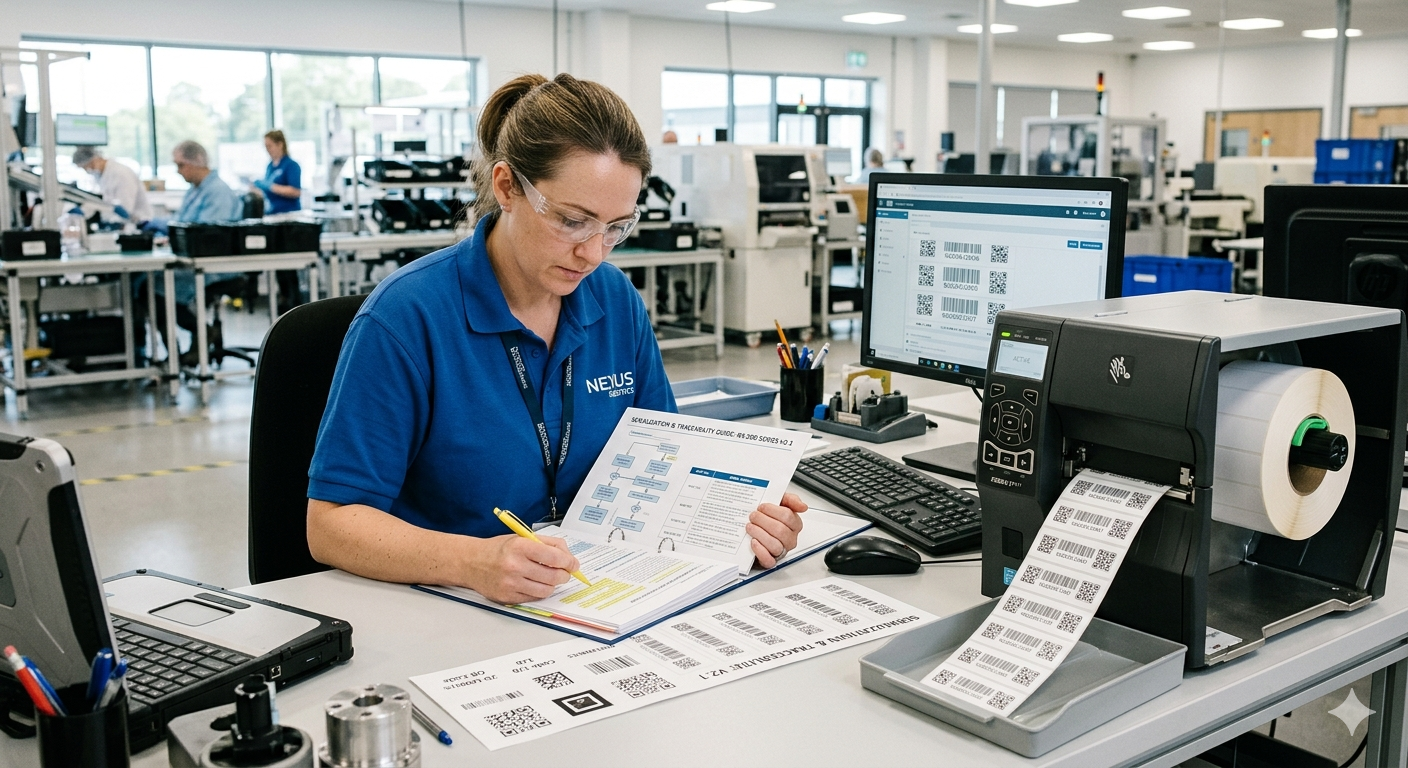
Inline printing generates and prints the QR code in real time at the packaging station. This is the gold standard — zero lag between production and labelling, full sync between physical unit and digital record. It requires integration between your line control system and a thermal inkjet or laser printer. Setup cost is higher, but this is the approach that scales cleanly.
Offline/print-and-apply pre-prints serialised labels in batches and applies them at packaging — either manually or via automated applicators. Lower integration complexity, but introduces a risk of label/unit mismatch if controls are not tight. Suitable for lower volumes or where inline integration is not feasible in the short term.
The choice between inline and offline typically comes down to line speed and existing infrastructure. Both can be made to work; the critical requirement in either case is that the label cannot be separated from the unit it was assigned to.
Step 3: Link to the Database
A serial number on a label that points nowhere is just a number. The value comes from what it resolves to. At the moment of serialisation, the product record needs to be created in your backend: GTIN, serial number, production date, production line/shift, component batch references, and any other traceability data that matters for your category.
This is the record that everything downstream connects to: warranty registrations, scan events, ownership history, recall targeting. The richer the data at creation, the more precise your capabilities later.
This step is where integration with your ERP or MES matters most. The production system should write to the product identity database — not via a manual export, but as a live event. The two systems need to stay in sync.
Step 4: Print and Apply at Packaging
The serialised label — whether inkjet-printed inline, laser-etched directly onto the product, or a pre-printed apply label — goes on at packaging. For most consumer products, this means the retail box. For industrial equipment, it may mean both the unit itself and the packaging. For high-value goods, you might consider both an external label and a concealed internal mark for anti-counterfeiting verification.
Placement matters. Labels on outer packaging get damaged or removed. Labels on the unit itself — under a panel, on the chassis, inside the battery compartment — survive the product's life. Best practice for serialised durable goods is a QR on the packaging and a durable label or engraving on the product.
The Cost Reality
One of the most persistent myths about serialisation is that it is expensive. It is not.
At scale, the marginal cost of unit-level serialisation — label, ink, and the database record — is measured in pennies per unit, typically £0.01–0.05 depending on label type and volume. Industry analysis from Gartner consistently places the cost of a broad-net product recall — where the affected population cannot be precisely isolated — at $2M–$20M including logistics, destruction, and brand damage. The one-off costs are the integration work: connecting line control to print management, connecting print management to your product identity platform, and setting up the resolver. That is a project cost, not an ongoing one.
Compare that to the cost of a single imprecise recall — where you cannot identify which units are affected and must pull an entire SKU or production month — and the economics become obvious. A major appliance recall affecting an over-broad population of units costs millions in logistics, replacements, and brand damage. Serialisation narrows that to a surgical list.
The more honest framing is that serialisation is not a cost — it is insurance with a positive expected return, plus a set of operational capabilities that generate direct revenue.
What Serialisation Unlocks
This is where the investment compounds. Unit-level serialisation is not valuable in isolation — it is the foundation for a cascade of capabilities.
Anti-counterfeiting: A consumer scanning your QR code gets a live response from your system confirming this is a genuine, registered unit. A counterfeit cannot pass that check. This is increasingly important for brands sold through grey-market channels or in markets where counterfeiting is prevalent.
Precision recalls: Instead of recalling an entire product line or a three-month production window, you can target the exact serial range, shift, or supplier batch affected. Affected customers get direct notifications. Unaffected customers are not disrupted. The hidden cost of imprecise recalls to brand trust is significant — serialisation eliminates it.
Warranty verification: Every warranty claim can be validated against the original serial record. Date of manufacture, authorised reseller, and whether this unit has already had a claim processed — all verifiable in seconds, without relying on the customer to produce a paper receipt.
Ownership transfer: When a product is resold, gifted, or transferred to a new owner, that transfer can be recorded against the unit's digital identity. The new owner inherits the product's history; you gain visibility of the secondary market and a new customer relationship.
Digital Product Passport: The EU's ESPR regulation is bringing DPP requirements to appliances, electronics, textiles, and other categories between 2026 and 2030. DPP requires a unique product identifier — at the unit or batch level depending on category — linked to a structured data record covering materials, repairability, and lifecycle information. Unit-level serialisation, built on SGTIN, is the right foundation. Manufacturers who implement it now are not doing extra work — they are doing the work once, correctly. Our DPP readiness assessment is a useful starting point if you are mapping your compliance posture.
Production Line Integration in Practice
The question we hear most from operations teams is not "should we serialise?" but "how do we fit this into an existing line without stopping production?"
The answer is almost always: start with print-and-apply offline if inline integration is complex, get the data model right, and migrate to inline over time. The critical path is the database and resolver — getting the product identity platform in place so that every serial number means something from day one.
For manufacturers already using production management software (most MES platforms have label management integrations), the integration path is well-trodden. For those running more manual or legacy lines, print-and-apply with a handheld scan verification step is a practical interim.
A note on the competitive landscape: platforms like Kezzler, Scantrust, and io.tt all offer serialisation infrastructure. The differences typically lie in how deeply they integrate with the post-sale experience — whether the QR code remains a supply-chain tool or becomes the live interface between the product and its owner throughout its life. That distinction matters when you are thinking about warranty, support, and DPP, not just track-and-trace.
Frequently Asked Questions
How many digits does a serial number need to be?
There is no fixed requirement, but GS1 SGTIN supports serial numbers up to 20 alphanumeric characters. Practically, most manufacturers use 8–12 digits. Randomised alphanumeric serials (rather than simple sequential numbers) are harder to predict and therefore more tamper-resistant for anti-counterfeiting purposes.
Do we need to serialise every product in our range, or can we start with one?
You can absolutely start with a single product line or category. In fact, this is the recommended approach — validate the integration, train the team, and measure the outcomes before rolling out across the portfolio. Choose a product where the business case is strongest: high value, warranty-intensive, or counterfeiting risk.
Can serialisation work with our existing ERP system?
In most cases, yes. The product identity platform sits alongside your ERP, not inside it. The ERP manages inventory and orders; the identity platform manages the digital life of each unit. The integration point is typically an API call at the point of production — the ERP or MES writes a "unit created" event to the identity platform with the serial number and production metadata. Standard connectors exist for SAP, Oracle, and most mid-market ERP systems.
The Bottom Line
Serialisation is not a packaging project. It is a strategic infrastructure decision that determines whether you know your products as individual units — or only as statistics.
The cost is pennies. The capabilities it unlocks — precise recalls, fraud prevention, ownership relationships, DPP compliance, and a direct line to every customer who owns your product — are worth considerably more. The manufacturers who implement unit-level serialisation in the next two years will have a structural advantage in after-sales, compliance, and customer trust that is very difficult for laggards to close.
BrandedMark handles the full stack: serial generation, GS1 Digital Link encoding, the product identity database, and the owner-facing experience that makes a scan worth doing. If you are mapping out your serialisation implementation, see how the platform works in practice or explore whether your current product identity setup is DPP-ready with our 25-question assessment.
Every product deserves a digital life. Serialisation is where that life begins.