Your Packaging QR Code Is Probably Wasted
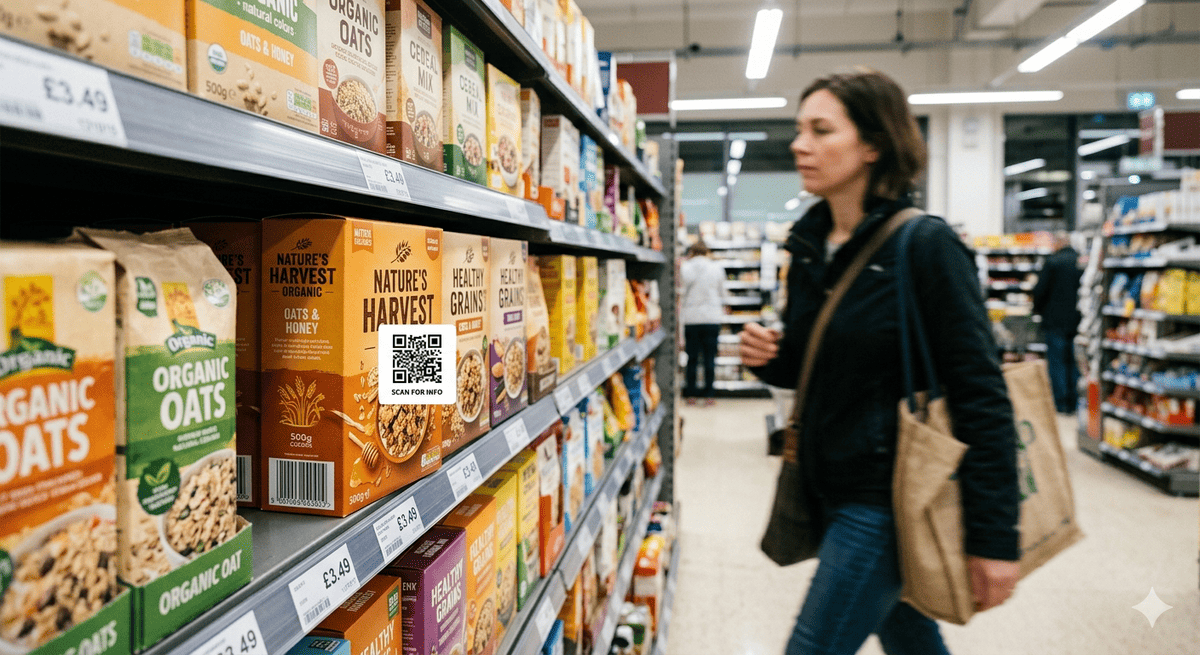
Walk through any supermarket, electronics store, or homeware shop. Pick up ten products. Many of them will have a QR code on the packaging.
Now scan them. One links to the brand's homepage. Another opens a PDF manual in a browser that doesn't render properly on mobile. A third goes to a dead URL, because the campaign that generated the code ended long ago. A couple more land on a generic product page that tells you nothing you couldn't read on the box. Perhaps one actually does something useful.
The difference between a wasted QR code and a valuable one is not the code itself. It is what happens when the customer scans it.
That product, the one that works, represents a small minority. The others represent wasted touchpoints: a printed code on a physical product, already paid for, already in the customer's hand, doing nothing.
The Five Types of Wasted QR Code
1. The Homepage Redirect
The most common waste. The QR code on the product resolves to yourbrand.com. The customer scans, sees the same homepage they could have typed into a browser, and leaves. There is no product-specific content, no registration, no support, no reason to have scanned at all.
Why brands do it: It's the easiest option. Marketing generates a QR code pointing to the website and moves on. No product team involvement, no API integration, no ongoing content management.
What it costs: The customer learned that scanning your QR code isn't worth their time. They won't scan it again when they actually need help, want spare parts, or need to register their warranty.
2. The Dead Campaign Link
The QR code was generated for a specific marketing campaign: a competition, a seasonal promotion, a product launch event. The campaign ended. The URL now returns a 404 error or redirects to the homepage.
The code is still printed on every unit that shipped during (and after) the campaign. It will be scanned for years. Every scan reinforces that the brand doesn't maintain its digital touchpoints.
3. The PDF Manual
The QR code opens a PDF of the product manual. On a phone. In a browser. With tiny text designed for A4 paper, no mobile formatting, and no way to search, bookmark, or interact with the content.
The customer needed help installing the product. They got a long document that requires pinch-to-zoom to read. They close it and search YouTube instead.
4. The Generic Product Page
The QR code links to the product's page on the brand website, the same page that exists for every unit of that model. It shows the product description, some lifestyle photography, and a list of features the customer already knows because they bought the product.
There is no serial-specific information, no warranty registration, no support, no spare parts for their exact model. The page was designed to sell the product to someone who hasn't bought it yet, not to serve someone who already has.
5. The Social Media Follow
The QR code asks the customer to follow the brand on Instagram. At the moment when the customer is holding a physical product they just purchased, the brand's best idea is to redirect them to a social media feed where they'll see the same content as everyone else.
The customer scanned because they have a product in their hands. They wanted something product-specific. They got a generic social feed.
What a Great Scan Experience Looks Like
The difference between a wasted QR code and a valuable one is answering one question correctly: what does the customer need at this moment?
At unboxing, the customer needs:
- Confirmation they bought a genuine product
- Quick setup guidance for their specific model
- Warranty registration (instant, not a long form)
A few months later, the customer needs:
- Troubleshooting for a specific issue
- Replacement parts for their exact model
- Contact with someone who knows their product
A year later, the customer needs:
- Maintenance reminders relevant to their usage
- Warranty renewal or extension offers
- The ability to transfer ownership if they sell the product
A great scan experience serves all of these, from the same QR code, by knowing which product was scanned, who owns it, and where they are in the ownership lifecycle.
The Anatomy of a Working Product Scan
- Customer scans QR on the product (not the box, the product itself)
- Mobile web experience loads instantly (no app download, no login)
- Product is identified by serial number, so the experience is specific to this unit, not this model
- First-time visitor sees registration: name, email, done in seconds. The warranty record is created automatically.
- Returning owner sees their dashboard: warranty status, support, spare parts, AI agent
- Everything is branded: the manufacturer's brand, colours, and domain. No third-party watermarks.
This is what connected product platforms deliver. The QR code is just the entry point. The value is in what happens after the scan.
The Cost of a Wasted QR Code
The QR code itself costs nothing to print, because it's already on the packaging. The cost of wasting it is measured in missed opportunities:
Lost customer identity. Every scan that goes to your homepage instead of a registration flow is a customer you'll never know. Across a full year of production, the gap between a low registration rate and a high one can represent a large pool of customers you would otherwise be able to identify and serve.
Lost aftermarket revenue. The customer who needed a spare part scanned your code, got a homepage, and ordered elsewhere instead. Your QR code sent revenue away from you.
Lost support efficiency. The customer who needed help scanned your code, got a PDF manual, gave up, and called your support centre. A self-service troubleshooting flow from the scan can resolve many of those contacts at a fraction of the cost of a live agent.
Lost compliance readiness. The EU Digital Product Passport framework is set to require product-level data accessible from a data carrier such as a QR code. A code that already resolves to a serialised product identity can contribute to that readiness, rather than something you have to rebuild from scratch.
How to Fix It Without Starting Over
You don't need to reprint packaging to fix a wasted QR code. You need to change what the URL resolves to.
If your QR points to your website: Redirect the URL to a product-specific landing page. Better yet, use GS1 Digital Link formatting so the same URL serves different content based on context (retail scanner vs customer smartphone vs regulatory query).
If your QR points to a dead campaign: Set up permanent redirects. Every QR code ever printed should resolve to something useful, even if the original campaign ended.
If you're printing new packaging anyway: This is the moment to switch to serialised QR codes. One unique code per unit. GS1 Digital Link format. Resolving to a connected product platform that serves registration, support, commerce, and DPP data from the same scan.
The QR code is already on your product. The question is whether it's working for you or just taking up space.
Frequently Asked Questions
How many products already have QR codes on packaging?
Walk any supermarket or DIY aisle and QR codes are now routine on packaging and product labels. In practice, most of the ones you scan resolve to a generic destination (a brand homepage, a social feed, or a campaign page) rather than a product-specific experience. The opportunity is not adding QR codes. It is making the ones already out there useful.
What's the difference between a marketing QR code and a product identity QR code?
A marketing QR code encodes a generic URL (e.g., yourbrand.com/summer-campaign) designed for a temporary promotion. A product identity QR code encodes a serialised, permanent URL (e.g., id.yourbrand.com/01/GTIN/21/SERIAL) that identifies a specific product unit and resolves to lifecycle content: registration, support, spare parts, and DPP data. Marketing codes expire; product identity codes persist for the life of the product.
Can I retrofit existing QR codes to be more useful?
Yes, if the QR encodes a URL you control. Change the destination via server-side redirect. The printed code doesn't change, just what it resolves to. For new packaging runs, switching to GS1 Digital Link format enables serialised, permanent product identity from day one.
What does it cost to switch from wasted QR codes to connected product experiences?
The QR code printing cost doesn't change. The real comparison is between the cost of a connected product platform and the value it returns: customers you can now identify, support contacts you can deflect to self-service, and spare parts revenue you keep rather than lose. For most manufacturers, that is the calculation worth running before the next packaging run.
BrandedMark turns every QR code into a working product relationship: registration, AI support, spare parts, and DPP readiness from one scan. Learn more at brandedmark.com.