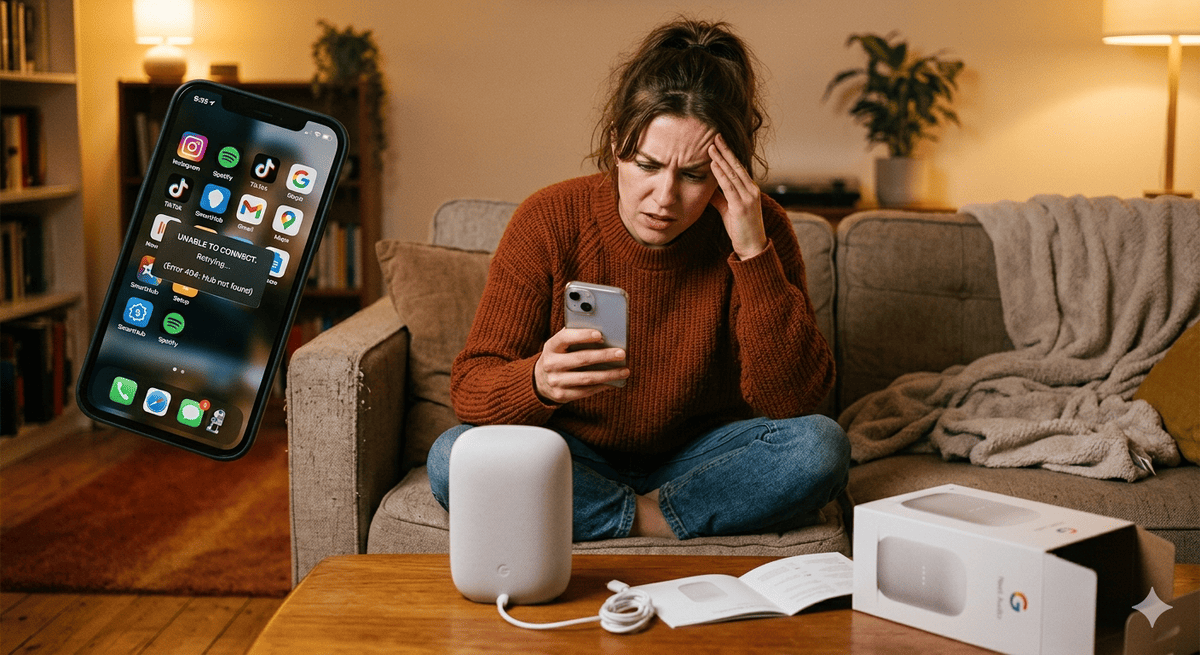
Product Apps Are Overkill—Learn from Dyson's Stumbles
Key Takeaways
- Dyson's product app carries a 1.2-star rating — a pattern repeated across Samsung SmartThings, LG ThinQ, GE Appliances, and Whirlpool, suggesting the app model itself is flawed rather than any single implementation
- Building and maintaining a product app costs $300,000–$1,000,000+ per year; QR-based web experiences deliver better completion rates at a fraction of the cost
- Customers want instant access without installation: QR code experiences that scan to a relevant, no-download product experience achieve 35%+ scan rates versus 12–18% industry average for generic codes
- The no-app playbook — smart packaging, Progressive Web Apps, ecosystem integration, and messaging — delivers measurably better customer experience metrics than dedicated product apps
Dyson makes exceptional vacuum cleaners. Their app? Not so much. With a painful 1.2-star rating and reviews like "worst app ever created" and "makes me want to return the vacuum," Dyson's mobile strategy represents everything wrong with product-specific apps.
Yet Dyson isn't alone. From smart refrigerators to connected toothbrushes, brands across industries are forcing customers to download dedicated apps for single products—creating friction instead of value, frustration instead of loyalty. The result? App graveyards filled with unused brand apps and customers who actively avoid "smart" products.
The truth is brutal: your product doesn't need an app. Your customers don't want an app. And building one might actually damage your brand more than help it. The better question is what a meaningful digital product identity should actually look like — one that works for customers, not against them.
The Great App Delusion
The mobile app gold rush convinced brands that dedicated apps created loyalty, stickiness, and direct customer relationships. The logic seemed sound — smartphones are ubiquitous, and direct mobile access feels powerful. But the data tells a different story. The typical smartphone user opens fewer than 10 apps per day despite having 80 or more installed. Most product apps are deleted within weeks of download, and average session times are measured in seconds rather than minutes. Dyson's V15 Detect is an engineering marvel — a vacuum that uses lasers to detect microscopic dust — yet its companion app turned a premium triumph into a customer service crisis. Reviews like "UI designed by someone who hates users" and "makes an amazing vacuum feel broken" reflect a 1.2-star rating that actively discourages purchase. Samsung SmartThings, LG ThinQ, GE Appliances, and Whirlpool Smart all share similar reviews. The pattern is consistent enough to conclude that the app model itself is flawed, not any individual implementation.
The App Store Apocalypse
The numbers tell a devastating story:
- The average smartphone has many apps installed but actively uses only a handful — Google data shows that the typical user opens fewer than 10 apps per day despite having 80+ installed
- Most product apps are deleted within a few months of download
- Few product apps are used more than once per month
- Average session times for product apps are extremely short
The Dyson Disaster
Dyson's V15 Detect is an engineering marvel—a vacuum that uses lasers to reveal microscopic dust. But the companion app turned triumph into tragedy:
App Store Reviews:
- "App is terrible, crashes constantly"
- "Can't connect to vacuum, defeats the purpose"
- "UI designed by someone who hates users"
- "Makes an amazing vacuum feel broken"
The Result: A $750 premium product with a 1.2-star digital experience that customers actively warn others about.
The Pattern of Failure
Dyson isn't unique. Product app failures follow predictable patterns:
Samsung SmartThings: "App updates break everything" LG ThinQ: "More frustration than my old dumb appliances" GE Appliances: "Why do I need an app to preheat my oven?" Whirlpool Smart: "Smart means stupid in this case"
Why Product Apps Fail: The Seven Deadly Sins
Most product app failures share seven predictable root causes. Understanding them is essential before committing to any app investment. The first is solving problems that don't exist — building apps because you can, not because customers need them. The second is feature poverty: apps that offer only basic controls customers already have via hardware. The third is onboarding hell, where complex setup processes cause the majority of users to abandon before completing activation. The fourth is connectivity nightmares — requiring constant internet for basic functions means a WiFi outage breaks your product's core value. The fifth is update anxiety, where month-by-month changes accumulate bugs and confuse loyal users until the app is quietly abandoned. The sixth is privacy paranoia: requesting location, contacts, and camera access for a vacuum or coffee maker destroys trust immediately. The seventh is single-product syndrome — creating separate apps per product line leaves customers with app drawer chaos and zero incentive to engage any of them.
Sin #1: Solving Problems That Don't Exist
The Mistake: Creating apps because you can, not because customers need them Example: Apps that turn lights on/off when wall switches work perfectly Customer Reality: "I just want to use my product, not manage another app"
Sin #2: Feature Poverty
The Mistake: Apps that provide minimal value beyond basic controls Example: Vacuum apps that only show battery level and start/stop Customer Reality: "My phone already does this better"
Sin #3: Onboarding Hell
The Mistake: Complex setup processes that frustrate users immediately The pattern: Product app onboarding often takes several minutes, most users abandon during setup, and few complete full feature activation.
Sin #4: Connectivity Nightmares
The Mistake: Requiring constant internet connection for basic functions Example: Smart locks that won't unlock when WiFi is down Customer Reality: "My dumb lock never needed updates"
Sin #5: Update Anxiety
The Mistake: Frequent updates that break existing functionality Pattern:
- Month 1: App works reasonably well
- Month 3: Update introduces new bugs
- Month 6: Major redesign confuses existing users
- Month 12: App abandoned by development team
Sin #6: Privacy Paranoia
The Mistake: Excessive data collection for basic product functions Example: Vacuum apps requesting location, contacts, and camera access Customer Reality: "Why does my coffee maker need my photos?"
Sin #7: Single-Product Syndrome
The Mistake: Creating separate apps for each product line Result: Customers with multiple brand products have app drawer chaos Reality Check: Smart home users average 12+ connected devices but won't install 12 apps
The Hidden Costs of App Obsession
Product apps do not just fail customers — they impose serious financial damage on the brands that build them. Initial development runs $150,000 to $500,000 per platform, with iOS and Android requiring separate builds. Annual maintenance, including security patches, OS compatibility updates, and bug fixes, adds $75,000 to $200,000. A major platform update or redesign adds significantly more. Total annual cost for a basic maintained product app easily reaches $300,000 to $1,000,000 or more. Beyond direct spend, the indirect costs compound quickly. Support tickets increase for app-connected products. Product ratings drop when apps are mandatory for full functionality. Return rates rise when setup is app-dependent. App-frustrated customers actively warn peers away from purchase, undermining the organic word-of-mouth that premium brands depend on. Meanwhile, competitors offering simpler solutions — Tesla's integrated experience, Apple's unified platform, Amazon's Alexa interface — capture market share precisely because they avoid inflicting this friction on their customers.
Development Costs
Initial Development: $150,000 - $500,000+ per platform Annual Maintenance: $75,000 - $200,000 Platform Updates: Significant cost per major OS release Security Patches: Ongoing quarterly investment
Total: Easily $300,000 - $1,000,000+ per year for a basic product app
Opportunity Costs
Customer Service Impact: Support tickets often increase for app-connected products Review Damage: Product ratings frequently drop when apps are required Return Rates: Products with mandatory app setup tend to see higher return rates Word-of-Mouth: App-frustrated customers actively warn others against purchase
The Competitive Disadvantage
While you struggle with app problems, competitors offering simpler solutions capture market share:
- Tesla vs. traditional automakers: Simple, integrated experience wins
- Apple vs. smart home fragmentation: Unified platform dominates
- Amazon vs. individual brand apps: Alexa becomes the preferred interface
What Customers Actually Want
Customers do not want apps — they want outcomes. When brands listen carefully rather than default to app thinking, four consistent preferences emerge. First, instant access without installation: customers expect to scan a QR code and land directly on relevant, useful information without being redirected to an app store. This is the foundation of a superior brand experience delivered through BrandedMark's experience designer. Second, unified experiences: customers with multiple connected devices strongly prefer integration with platforms they already use, such as Google Home, Apple HomeKit, or Alexa, over managing a separate app per brand. Third, minimal friction: Progressive Web Apps that feel native but run in the browser consistently outperform equivalent native apps on first-session completion rates. Fourth, contextual value: customers accept digital touchpoints only when they arrive at the right moment — a service reminder triggered by actual vehicle data is welcome; an unprompted push notification from a vacuum app is not.
Instant Access Without Installation
Customer Preference: "Just work when I need it" Solution: Web-based interfaces accessible via QR codes — this is the foundation of a superior brand experience built with BrandedMark's experience designer that meets customers where they are Example: Branded Mark's approach—scan and access, no downloads required
Unified Experiences
Customer Preference: "Don't make me manage multiple apps" Solution: Integration with existing platforms (Google Home, Apple HomeKit, Alexa) Example: Philips Hue works through existing smart home apps
Minimal Friction
Customer Preference: "Make it simpler than the old way" Solution: Progressive Web Apps (PWAs) that feel native but work in browsers Example: Twitter's PWA has higher engagement than their native app
Contextual Value
Customer Preference: "Only help when I actually need help" Solution: Smart notifications triggered by usage patterns, not marketing schedules Example: Tesla's service reminders based on actual vehicle data
The Smart Alternatives: Beyond Apps
Four proven alternatives deliver better customer experience than dedicated product apps, at lower cost and with faster deployment. Progressive Web Apps (PWAs) provide native-app feel without installation friction — no app store approval, automatic updates, smaller storage footprint, and cross-device compatibility. Starbucks reported strong order volumes through their PWA. QR code experiences link customers directly to context-appropriate, always-current information the moment they need it: Nike uses them for product authentication and care instructions with zero installation required. Voice integration with Alexa, Google Assistant, or Siri leverages interfaces customers already trust — BMW's Alexa integration for vehicle functions is a practical example of this working at scale. Messaging platform integration via SMS or WhatsApp uses channels customers already have open, with persistent history, rich media support, and global reach — H&M's WhatsApp shopping assistant demonstrates the model clearly. Each alternative reduces friction while maintaining a meaningful, ongoing brand connection.
Progressive Web Apps (PWAs)
What They Are: Web applications that feel like native apps Advantages:
- No app store approval process
- Work across all devices
- Update automatically
- Smaller storage footprint
- No installation friction
Success Example: Starbucks reported their PWA drove strong order volumes
QR Code Experiences
What They Are: Direct links to relevant digital experiences Advantages:
- Zero installation required
- Context-appropriate information
- Always up-to-date
- Cross-platform compatibility
Success Example: Nike's product authentication and care instructions via QR codes
Voice Integration
What It Is: Integration with existing smart assistants Advantages:
- Leverages familiar interfaces
- Hands-free operation
- No visual UI required
- Works with customer's preferred platform
Success Example: BMW's Alexa integration for vehicle functions
Messaging Platform Integration
What It Is: Customer support and product information via SMS, WhatsApp, or messaging apps Advantages:
- Uses platforms customers already have
- Persistent conversation history
- Rich media support
- Global accessibility
Success Example: H&M's WhatsApp shopping assistant
The Branded Mark Approach: Smart Digital Connections
BrandedMark's approach was built by studying what makes product apps fail and inverting every assumption. The result is a four-principle framework that creates genuine digital connections without demanding installation. Context-first design means QR codes on products link to information that matches the customer's current moment — setup guidance at unboxing, troubleshooting when something goes wrong, maintenance reminders before problems develop. Value-first philosophy means every digital touchpoint must deliver immediate utility: setup flows faster than going it alone, guides that actually resolve the issue, reminders tied to real usage data rather than marketing calendars. Friction-free access means browser-based experiences that work across every device, smart defaults that minimize configuration, and single sign-on across brand touchpoints. Integration excellence means building alongside customers' existing ecosystems — voice assistant compatibility, smart home platform integration, and calendar connectivity — so BrandedMark enhances what customers already use rather than asking them to adopt something new.
Context-First Design
The Principle: Digital interactions should match the moment of need Implementation:
- QR codes on products link to relevant information
- Progressive disclosure based on customer journey stage
- Mobile-optimized but platform-agnostic experiences
Value-First Philosophy
The Principle: Every digital touchpoint must provide immediate value Implementation:
- Setup assistance that's faster than doing it alone
- Troubleshooting guides that actually solve problems
- Maintenance reminders that prevent issues
Friction-Free Access
The Principle: Remove barriers between customers and value Implementation:
- Browser-based experiences that work everywhere
- Smart defaults that minimize configuration
- Single sign-on across all brand touchpoints
Integration Excellence
The Principle: Work with customers' existing digital ecosystems Implementation:
- Voice assistant compatibility
- Smart home platform integration
- Calendar and notification system integration
When Apps Actually Make Sense
Despite the strong case against product apps, a small category of products genuinely justifies the investment. The key variable is interaction frequency combined with native capability requirements. High-frequency interaction products — fitness trackers, security systems, fleet management tools — are used daily or hourly and benefit from native features like background processing, biometric access, and push notifications. High-value integration products like Tesla and John Deere's precision agriculture platform serve as central hubs for multiple connected devices, where the app IS the product rather than an accessory to it. High-data-value products such as professional health monitors generate continuous data streams that require rich visualization and predictive insight unavailable through a browser. Before committing to app development, every product should pass six questions: weekly usage or more, value impossible via web or voice, meaningful multi-device integration, continuous data that improves outcomes, ability to maintain iOS and Android parity, and support commitment for at least three years. If any answer is no, skip the app.
The App Justification Matrix
High-Frequency Interaction Products
- Daily or hourly usage
- Complex functionality that benefits from native features
- Strong network effects between users
- Examples: Fitness trackers, security systems, fleet management
High-Value Integration Products
- Central hub for multiple connected devices
- Rich ecosystem of third-party integrations
- Significant productivity or efficiency gains
- Examples: Tesla, John Deere precision agriculture, enterprise IoT platforms
High-Data Value Products
- Continuous data collection provides ongoing value
- Predictive insights improve customer outcomes
- Data visualization requires rich interface
- Examples: Health monitoring devices, professional equipment analytics
The App Success Criteria
Before building an app, ensure you can answer "yes" to all of these:
- Usage Frequency: Will customers use this weekly or more?
- Unique Value: Does the app provide value impossible via web/voice?
- Integration Benefits: Does it meaningfully connect with other services?
- Data Advantage: Does continuous connectivity improve customer outcomes?
- Platform Investment: Can you maintain iOS, Android, and web versions?
- Support Commitment: Can you provide ongoing updates for 3+ years?
Implementation Alternatives: The No-App Playbook
For most products, a four-phase no-app strategy consistently outperforms a dedicated app on both cost and customer satisfaction metrics. Phase 1, smart packaging, establishes the foundation: product-specific QR codes link to relevant digital experiences structured around the customer's lifecycle stage, from unboxing through long-term maintenance. Phase 2, Progressive Web Experiences, layers on native-app feel without installation friction — service workers enable offline functionality for essential content, while push notifications handle important alerts. Phase 3, ecosystem integration, extends reach by meeting customers on the platforms they already use: Google Assistant, Alexa, Apple HomeKit, and IFTTT automation templates. Phase 4, messaging excellence, closes the loop with conversational interfaces through SMS and WhatsApp, automating answers to the support patterns that generate the most tickets. Each phase builds on the last, delivering progressively richer digital engagement without ever asking a customer to visit an app store.
Phase 1: Smart Packaging
QR Code Strategy
- Product-specific codes linking to relevant digital experiences
- Progressive information architecture based on customer needs
- Mobile-optimized but universal access
Implementation Steps:
- Audit customer information needs by product lifecycle stage
- Create mobile-friendly information architecture
- Design QR code placement for maximum discoverability
- Test cross-device compatibility and load speeds
Phase 2: Progressive Web Experiences
PWA Development
- Native app feel without installation friction
- Offline capability for essential functions
- Push notifications for important updates
Implementation Steps:
- Design mobile-first responsive experiences
- Implement service workers for offline functionality
- Add web app manifest for home screen installation
- Optimize for performance and accessibility
Phase 3: Ecosystem Integration
Smart Platform Connectivity
- Google Assistant/Alexa voice control
- Apple HomeKit/Google Home integration
- IFTTT/Zapier workflow automation
Implementation Steps:
- Research customer platform preferences by demographic
- Prioritize integration development by user volume
- Implement voice commands for common use cases
- Create automation templates for popular workflows
Phase 4: Messaging Excellence
Conversational Interfaces
- SMS-based customer support and information
- WhatsApp Business integration for global markets
- Chatbot integration for common questions
Implementation Steps:
- Analyze support ticket patterns to identify automation opportunities
- Design conversational flows for common customer needs
- Implement messaging platform APIs
- Train customer service teams on new channels
Measuring Success Without Apps
A no-app strategy requires its own measurement framework. Three engagement metrics set the baseline. QR code scan rates should target 35% or more of customers scanning within the first month — the industry average for generic codes sits at 12 to 18%, so a well-placed product code should significantly outperform it. Digital experience completion should reach 80% or more of customers completing the primary task flow, compared with the 43% average for product apps. Return engagement within 90 days should hit 40% or better against a 23% app benchmark. Customer satisfaction metrics provide the qualitative layer: target a 4.5-star digital experience rating against the 2.8-star product app average, measure for a 30% or greater reduction in common support tickets, and track NPS impact by comparing scores between customers who engage with the digital experience versus those who do not. Quarterly NPS analysis segmented by digital engagement is the clearest signal of whether the no-app strategy is building the brand relationships it is designed to create.
Engagement Metrics
QR Code Scan Rates
- Target: 35%+ of customers scan within first month
- Benchmark: Industry average 12-18%
- Optimization: A/B testing of code placement and design
Digital Experience Completion
- Target: 80%+ complete primary task flow
- Benchmark: Product app average 43%
- Optimization: Simplify flows based on analytics data
Return Engagement
- Target: 40%+ return within 90 days
- Benchmark: Product app average 23%
- Optimization: Value-driven follow-up communications
Customer Satisfaction
Digital Experience Rating
- Target: 4.5+ stars
- Benchmark: Product app average 2.8 stars
- Measurement: Post-interaction surveys
Support Ticket Reduction
- Target: 30%+ reduction in common issues
- Measurement: Compare pre/post implementation support volume
- Optimization: Proactive information delivery
Net Promoter Score Impact
- Target: +15 point improvement for customers using digital experiences
- Measurement: Quarterly NPS surveys with engagement tracking
- Analysis: Digital vs. non-digital customer advocacy rates
The Competitive Advantage of Simplicity
Choosing a no-app digital strategy does not just avoid the costs and failures described above — it creates measurable competitive advantages over brands still locked into the app model. Speed to market is the most immediate: traditional app development runs 6 to 12 months from concept to launch, while a QR-based web experience deploys in 2 to 6 weeks, enabling rapid iteration and faster customer feedback loops. Risk profile improves significantly because web-based experiences are platform-independent — Apple and Google policy changes that can invalidate an app strategy overnight have no effect on a URL. Customer experience improves at the most critical moment: the difference between "scan, access, use" and "download, install, register, configure, update" shows up directly in first-session completion rates. Global accessibility is the final advantage — app store regional restrictions limit reach, while web experiences are universally available, ensuring a consistent brand experience regardless of where the product is sold or used.
Faster Time to Market
Traditional App Development: 6-12 months from concept to launch No-App Approach: 2-6 weeks from concept to deployment Advantage: Rapid iteration and immediate customer feedback integration
Lower Risk Profile
App Store Dependencies: Apple/Google policy changes can break your strategy Web-Based Approach: Platform-independent experiences under your control Advantage: Future-proof digital strategy insulated from platform changes
Superior Customer Experience
App Friction: Download, install, register, configure, update Direct Access: Scan, access, use Advantage: Significantly higher completion rates for initial customer engagement
Global Accessibility
App Store Restrictions: Regional availability limitations Web Experiences: Universal accessibility regardless of location Advantage: Consistent global brand experience
Getting Started
The future of product digital experiences is not about building better apps — it is about creating value without barriers. While competitors are locked in cycles of app store reviews, OS compatibility patches, and customer support tickets driven by connectivity failures, brands that choose a no-app strategy move faster, spend less, and earn higher satisfaction scores. When IoT connectivity is part of the picture, the stakes rise further — see what happens when connected products fail and how to handle it well. The path is straightforward: start with smart packaging and QR-based web experiences, layer in Progressive Web App capabilities where ongoing engagement justifies it, integrate with the voice and smart home platforms your customers already use, and close the loop with conversational messaging for support. Each step delivers immediate customer value without a single app store submission. Branded Mark is building the connected packaging platform that makes this playbook accessible to any brand — no download required.
Ready to ditch the app? Join our waitlist to be among the first to try Branded Mark's connected packaging platform.
Frequently Asked Questions
Why do most product-specific apps fail?
Product apps fail because they solve problems that don't exist at a frequency that doesn't justify installation. Most physical products are used daily without any need for digital interaction; when digital interaction is needed (setup, troubleshooting, parts ordering), the friction of downloading and configuring an app is higher than the value delivered. The result is apps that are installed once, used twice, and deleted — along with the negative reviews that damage product ratings.
What is the alternative to a product app?
The most effective alternative is a QR-code-based web experience: scan the code on the product, get instant access to setup guides, troubleshooting, warranty registration, and parts ordering — no download required. Progressive Web Apps (PWAs) offer a middle path, providing native-app feel with browser-based access. For products requiring ongoing digital interaction, ecosystem integration (Apple HomeKit, Google Home, Alexa) leverages platforms customers already use rather than asking them to adopt a new one.
How much does building and maintaining a product app actually cost?
Initial development typically runs $150,000–$500,000 per platform (iOS and Android separately). Annual maintenance — security patches, OS updates, bug fixes — adds $75,000–$200,000. A major redesign or platform update adds significant cost on top. Total annual cost for a maintained product app easily reaches $300,000–$1,000,000+, before accounting for the opportunity cost of support tickets generated by app-related frustration.
When does a product app genuinely make sense?
Apps are justified for products requiring high-frequency interaction (daily or more), rich ecosystem integration with multiple connected devices, or continuous data collection that improves customer outcomes. Fitness trackers, security systems, fleet management tools, and precision agriculture equipment meet these criteria. Vacuum cleaners, air purifiers, and kitchen appliances typically do not — and building apps for them is a costly mistake that the Dyson example illustrates clearly.