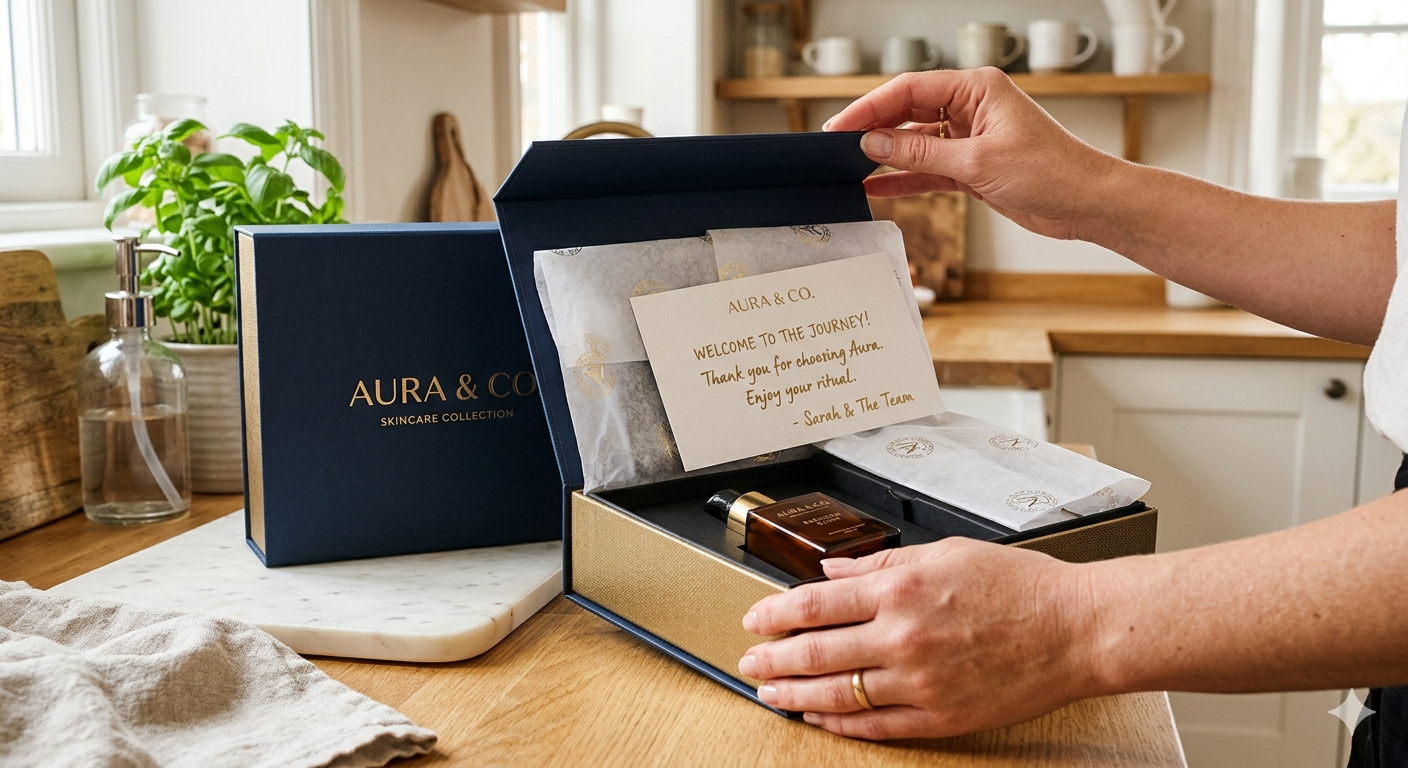
The Connected Product Unboxing Experience: First Scan, First Impression
Key Takeaways
- Brands that surface warranty registration at the unboxing moment via QR-triggered experience capture 3–4x more customer registrations than those relying on email follow-up or paper inserts.
- Roughly 80% of paper inserts are discarded within 24 hours of unboxing — the traditional warranty card and manual approach leaves the highest-intent customer moment completely wasted.
- A QR-scan registration at unboxing achieves 35–50% conversion; the same registration form sent via email 48 hours post-purchase averages 8–12%.
- Each registered customer is a direct brand relationship — not mediated by a retailer or algorithm — that enables proactive service, direct re-engagement, and measurable LTV uplift.
You have three minutes. Maybe less.
That's the window — from the moment a customer lifts the lid, slits the tape, or tears the perforation — when their attention is fully on your product and your brand. Curiosity is at its peak. Anticipation is high. They're primed to engage. And then, almost as quickly as it arrives, that window closes. The product gets set on the counter. The box goes in the bin. The paper inserts — manual, warranty card, quick-start guide — get stuffed in a drawer or tossed entirely.
| Key Metric | Paper Insert | Email Follow-up | QR at Unboxing |
|---|---|---|---|
| Registration rate | 10–15% | 8–12% | 35–50% |
| Days to registration (median) | 21+ (if at all) | 14–21 | 2–4 |
| Engagement rate (30 days post-registration) | 8–12% | 15–20% | 35–45% |
| Paper insert discard rate | ~80% within 24 hours | N/A | 0% (no paper) |
| Cost per registered customer | $2–5 | $0.50–1.50 | $0.20–0.50 |
Connected Unboxing vs. Competitors
The unboxing experience is where registration success is decided. Narvar, parcelLab, and Loop Returns optimise post-delivery logistics. Registria excels at compliance and warranty management but doesn't specifically address the unboxing trigger. AfterShip focuses on tracking anxiety reduction, not registration activation. BrandedMark is unique in treating unboxing as the primary registration conversion moment—designing product identity and QR codes specifically for the moment of maximum customer engagement, then measuring and optimising registration conversion across product lines. The result: 3–4x higher registration rates than industry averages.
If that sounds familiar, it's because it's the norm. Most manufacturers design their post-purchase touchpoints for the warehouse floor, not for the customer experience. The result? An unboxing moment full of potential that leads nowhere.
The brands that understand what's actually happening in that three-minute window are building something different. They're turning the first scan into the start of a relationship — one that drives registration, reduces support costs, and opens up revenue channels that didn't exist before.
What Most Brands Do: The Paper Insert Problem
Walk through any product return from a major appliance or consumer electronics brand and you'll find the same thing: a shrink-wrapped booklet pack. Inside — a quick-start guide printed in eight languages, a warranty registration card with a URL no one types in, and a small-print legal disclaimer that nobody reads.
Industry data is unambiguous on what happens next. Roughly 80% of paper inserts are discarded within 24 hours of unboxing (according to packaging engagement research cited across consumer electronics post-purchase studies). The warranty card either ends up in a junk drawer or the recycling bin. The QR code on the box — if there is one — points to a generic product page on the brand's website.
The customer is left to figure it out. If they hit a snag during setup, they Google it. If they want to register the warranty, they have to remember to do it later — and most never do. Industry averages for warranty registration via paper or email follow-up rarely exceed 15-20%.
This isn't a customer problem. It's a design problem.
The paper insert was designed for an era before smartphones existed in every pocket. It assumes the customer will engage with your brand on your timeline, not theirs. The connected product era demands a different approach entirely.
What a Connected Unboxing Actually Looks Like
Reimagine the same moment. The customer opens the box. On the inner flap — visible before anything else — a single clean QR code with a simple instruction: "Scan to set up your product."
They scan it. Instantly, a branded welcome experience opens in their browser. No app download. No login. No form to fill out before they see anything useful.
Here's what the experience can flow through in under five minutes:
1. The Branded Welcome
A clean, full-screen welcome with the product name, a short congratulations message, and the brand's visual identity. Not a generic webpage — a serialised experience tied to this specific unit, identified by the QR code on the box. It feels personal because it is.
2. Guided Setup
Step-by-step installation or setup content — video, illustrated guides, or interactive checklists — formatted for a mobile screen. No scrolling through a 40-page PDF. No hunting for page 12 in a multilingual booklet. The customer follows along as they unpack and configure.
3. Warranty Registration
With the product already identified via the QR code, registration is frictionless. Name, email, and optional proof of purchase — that's it. No model number to locate, no serial number to squint at. The product knows what it is. The customer just confirms who they are.
4. Support Access
Before they've even encountered a problem, the customer sees where to get help. A link to troubleshooting guides, a video FAQ, or a chat channel — available from the same experience they just registered through. This is how you deflect support calls before they happen.
5. Spare Parts and Accessories Preview
A light touch. Not a hard sell. A section that says: "Here's what goes with your product" — consumables, compatible accessories, replacement filters, or extension kits. Shown at the moment of highest engagement, not in a marketing email six weeks later.
The entire experience lives in a mobile browser. No friction, no downloads, no dead ends.
The Data: Why the Unboxing Moment Is Non-Negotiable
This isn't about aesthetics. It's about conversion rates, and the numbers are significant.
Brands that surface warranty registration at the unboxing moment — via a QR-triggered experience — capture 3-4x more customer registrations than those relying on email follow-up or paper inserts (based on BrandedMark's analysis of registration conversion data across connected product deployments).
That gap is explained by a simple behavioural reality: the unboxing moment is the highest point of product-related motivation a customer will ever experience. They just spent money. They're excited. They're holding the product. Every day that passes after that moment, motivation decays.
A follow-up email sent 48 hours after purchase lands when the customer is already elsewhere — mentally and physically. The registration rate on those emails averages around 8-12%. The same registration form, surfaced in the moment via QR code, can achieve 35-50% conversion. Same form, same fields, radically different context.
Consider what that gap means at scale. A manufacturer shipping 200,000 units per year with a 12% email registration rate captures 24,000 registered customers. At 40% unboxing-moment registration, that becomes 80,000. The difference isn't a marginal improvement in a single metric — it's the difference between knowing a quarter of your customers and knowing four in ten. Every one of those additional registrations represents a customer you can reach directly, serve proactively, and sell to again.
For more on how to design registration flows that convert, see our guide to QR code product registration and optimising registration conversion.
Designing the Scan Trigger: Getting the QR Right
A QR code that nobody notices is a QR code that doesn't exist. The trigger design — placement, size, and call-to-action copy — is where most brands make avoidable mistakes.
Placement
The QR code belongs on the inner packaging, not the outer carton. The outer carton is handled by retailers, warehouses, and delivery drivers. By the time the customer sees the inner box, they're already in purchase mode. Place the code on:
- The inner lid or flap — the first thing visible when the box is opened
- The base insert or foam tray — immediately beneath the product
- A dedicated card insert positioned on top of everything else
Avoid placing it on the quick-start guide (likely to be ignored), the outer carton (wrong audience), or the product itself unless the product's form factor makes it natural and durable.
Size
The minimum scannable size for a QR code at arm's length is approximately 2.5 cm x 2.5 cm. In practice, a 3-4 cm code with a clear white quiet zone around it scans reliably across a wide range of phones and lighting conditions. Bigger is not always better — a QR code that dominates the insert can feel like a compliance label. Sized right, with breathing room, it reads as intentional and premium.
Call-to-Action Copy
This is where brands consistently underinvest. A naked QR code with no instruction converts far below one with a clear value proposition. The copy should communicate what happens after the scan, not just prompt the action.
Strong examples:
- "Scan to set up your product" — task-oriented, immediately useful
- "Scan to register and unlock your warranty" — benefit-led, action-clear
- "Scan to get started" — simple, low-friction
Avoid: "Scan me," "Learn more," or anything that sounds like a marketing prompt. The customer isn't looking for advertising at this moment — they're looking for help. Speak to that.
For deeper thinking on packaging as a communication channel, see our article on powerful unboxing design.
Designing the Post-Scan Experience
The QR gets the customer to the door. The experience design determines whether they walk through it.
Welcome: Earn Attention in the First Five Seconds
The opening screen is not the place for a brand story or a product brochure. It should confirm three things immediately: what product this is, that the experience is designed for them, and what happens next. A headline like "Welcome to your [Product Name]. Let's get you set up." does exactly that. Clean, purposeful, personal.
Serialised QR codes — where each code is tied to a unique unit — allow the experience to load the correct product details automatically. The customer doesn't enter a model number or navigate a product catalogue. The system already knows what they have.
Setup: Reduce Friction, Increase Confidence
The most common reason customers abandon a product in the first 48 hours is failed setup. Not a product defect — a confidence failure. They couldn't get it working, they didn't know where to look for help, and they gave up.
A guided setup experience embedded in the post-scan flow addresses this directly. Video performs better than text for physical assembly tasks. Numbered steps with visual confirmation ("Does your screen look like this?") outperform linear instructions. Where the product has variants or configurations, conditional logic in the experience can route customers through the right path for their specific model.
Registration: Make It Feel Invisible
By the time the customer reaches the registration step, they've already got value from the experience. They've set up the product. They're in a positive frame of mind. Registration at this stage should feel like a formality, not an obstacle.
Keep the form to three fields maximum: name, email, and optionally a purchase date or retailer. The product is already identified. The serial number is already logged. Everything else can be enriched later. Confirmation should be instant and warm — a brief acknowledgement that their warranty is active, with a summary of what comes next.
For a detailed breakdown of the registration journey, see the business case for warranty registration.
Value Preview: Plant the Seed for Future Engagement
The last screen of the unboxing flow is the highest-value screen most brands never use. The customer is registered, set up, and satisfied. This is the moment to show them what else is possible — spare parts for their product, an accessory that extends its use, a maintenance reminder they can opt into.
This is not a sales pitch. It's a service preview. The framing matters: "Here's everything available for your product" lands differently than "Buy these accessories now." One builds trust. One erodes it.
The Business Case in Summary
The connected unboxing experience is not a UX nicety. It is a measurable business lever.
| Metric | Paper Insert | Connected Unboxing |
|---|---|---|
| Warranty registration rate | 12-18% | 35-50% |
| Support call volume | Baseline | 20-30% reduction |
| Accessory attach rate | Near zero | 8-15% |
| Customer data captured | Rarely | Consistently |
Each registered customer is a direct relationship the brand owns — not mediated by a retailer, not dependent on an algorithm. At scale, that is the most defensible asset a product company can build.
The three-minute window is real. The only question is whether you design for it.
FAQ: Connected Product Unboxing Experience
Should the unboxing QR code live on the outer box or the inner packaging?
Inner packaging—specifically on the inner lid or the first thing visible when the box opens. The outer box is handled by logistics, retailers, and delivery drivers before the customer sees it. The inner box is what the customer engages with at the moment of peak attention. Placing the code on the outer carton and requiring customers to hunt for it on the inner packaging wastes your three-minute window. A 3–4 cm QR code on the inner lid or a dedicated card insert positioned on top of the product itself converts best.
Can I retrofit an existing unboxing experience without changing my packaging?
Yes. Add a dedicated insert card positioned on top of the product, clearly visible the moment the box opens. This card carries a single QR code and a simple call-to-action: "Scan to set up your product." No packaging changes required. The insert costs pennies. The registration rate improvement is immediate. Most manufacturers test the connected unboxing with a retrofit insert first, then optimise packaging on the next production run.
What if my product doesn't naturally have an "unboxing moment"?
Some products (industrial equipment, B2B goods) don't have emotional unboxing moments. For these, the registration trigger moves to: (1) first use or installation, (2) when the customer first accesses support or manuals, or (3) when they register for a warranty claim. The same QR-scan-to-experience logic applies, just at a different moment. The key is identifying the moment of highest motivation and positioning the registration trigger there.
How do I measure whether my unboxing experience is working?
Track these KPIs: (1) scans per unit shipped, (2) registration rate among those who scan, (3) time from scan to registration completion. If you're seeing >40% of scans converting to registrations within 48 hours, your unboxing experience is working. If conversion is under 20%, test a different QR placement, call-to-action copy, or post-scan experience. Iteration is rapid; most brands find their optimal unboxing formula within 3–4 product runs.
Start With One Product
The connected unboxing experience doesn't require a platform overhaul or a packaging redesign from scratch. It starts with a single QR code, tied to a single product, pointing to a single well-designed mobile experience.
BrandedMark's Experience Designer makes it possible to build that experience without writing a line of code — welcome screen, setup guide, registration form, support links, spare parts catalogue — all configured visually and deployed to a serialised QR in minutes. When the product ships, every unit carries a code that launches the right experience for that specific model, in the right language, with the right content.
If your current unboxing flow is a paper insert and a hope that customers register later, there's a better way. Explore how BrandedMark handles connected product registration — and what the post-scan experience looks like when it's designed to convert.
The box is already open. The question is what happens next.