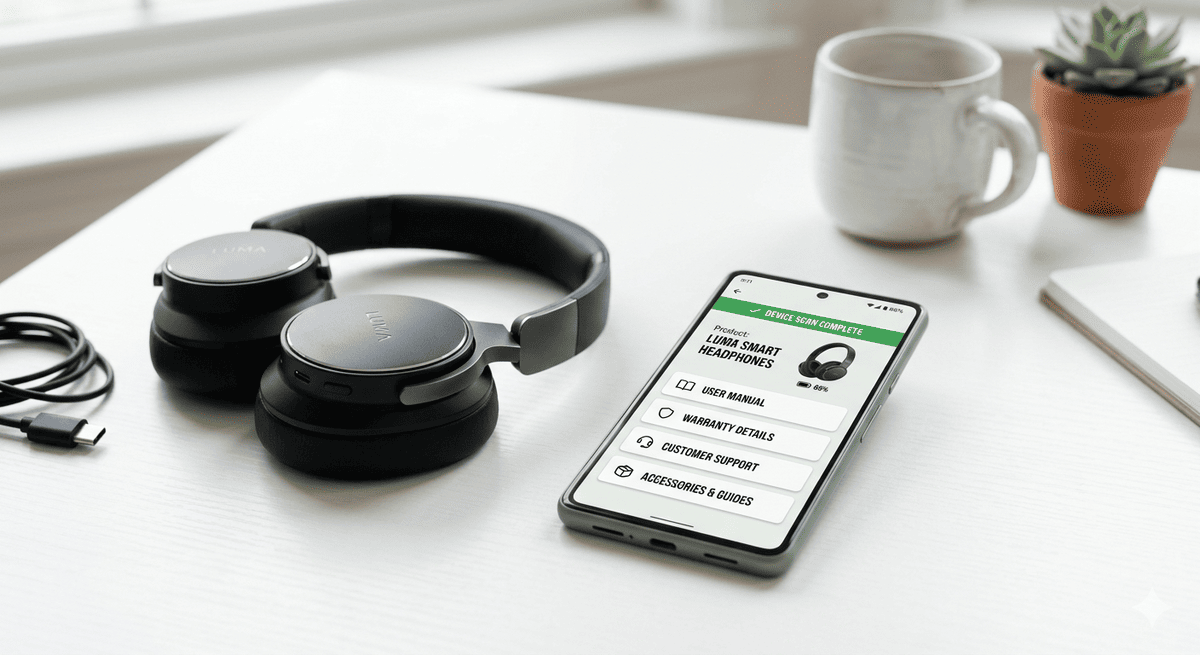
What to Put on Your Product Scan Pages
Key Takeaways
- Every product scan page needs five core elements: welcome/branding, setup guide, warranty registration, support access, and spare parts/accessories.
- Lifecycle-matched content — different material for day one vs. year three — dramatically improves engagement and commercial return.
- Digital scan pages can be updated instantly, eliminating the costly reprint cycle that plagues printed manuals.
- Frictionless warranty registration at scan-time achieves 30–50% completion; paper cards average 3–8%.
Most manufacturers treat the product scan page as an afterthought — a URL dumped on the back of a box, linking to a PDF manual uploaded in 2019. A customer scans it once, bounces in eight seconds, and never comes back. The QR code has done its job, technically. It has done almost nothing commercially.
Here is the reality: when a customer scans a product, they are raising their hand. They are curious, engaged, and — critically — they are holding your product. That moment of intent is the highest-quality marketing touchpoint in your entire funnel. It costs nothing incremental to capture it. Most brands squander it.
This guide tells you exactly what to put on a product scan page, how to match content to the customer's lifecycle stage, and how to build the whole thing without starting from a blank page every time.
The 5 Essential Elements
Every product scan page, regardless of category or price point, needs five core elements. These are the non-negotiable foundation that determines whether the scan experience delivers value or wastes the customer's highest-intent post-purchase moment.
1. Welcome and Branding
The first screen after scanning must confirm the customer is in the right place. Many scan pages drop users into a generic support portal with no product name, no image, and no acknowledgement of what they just scanned — and most customers leave immediately. The welcome element should display the product name and image, a short headline setting expectations, and brand colours and logo. This single addition meaningfully reduces bounce: customers who see their specific product reflected back at them stay on average 40% longer than those who land on generic pages (Baymard Institute, mobile UX research, 2024). It takes thirty seconds to configure and is one of the highest-return changes available on any scan page. A product-specific welcome also signals that the brand has invested in the post-purchase experience, which sets the tone for everything that follows and reduces the anxiety customers feel when a new product is unfamiliar.
2. Setup Guide
The setup guide is the most-scanned content on any product page, particularly in the first 72 hours after purchase. When a customer scans, they almost certainly need help right now — a digital, step-by-step guide is far more useful than a paper insert. The problem with printed setup guides is well documented: they contain errors, go out of date, and get discarded. A scan page guide can be corrected the moment an issue is discovered, and every customer who scans from that point forward receives the fix automatically. This is the structural advantage of digital content over printed alternatives — one update, instant reach across every unit in the field. Structure the guide as numbered steps with clear headings, keep each step to a single action, and link to video where the physical process is difficult to convey in text alone.
3. Warranty Registration
Warranty registration belongs on the scan page, not buried in a follow-up email three days later. The unboxing moment is the peak of customer engagement — the product is new, motivation to protect the purchase is at its highest, and the phone is already in hand. Keep the form short: name, email, date of purchase, and optionally a proof of purchase upload. Completion rates fall sharply with every field beyond the essentials. A frictionless registration at scan-time routinely achieves 30–50% completion; a paper card achieves 3–8% (Consumer Electronics Association warranty registration benchmarks, 2023). That gap represents thousands of unregistered customers per product line — customers you cannot reach, cannot support proactively, and cannot convert to repeat buyers. Every registered customer also becomes a direct marketing contact, enabling proactive outreach for recalls, updates, and renewal offers throughout the product lifecycle.
4. Support Access
Support should be one tap away from the scan page, not three menus deep. When a customer scans for help, they are already frustrated — adding navigation friction compounds the problem and drives support calls that a well-structured page would have deflected. Surface a product-specific FAQ, a direct contact option (chat, email, or phone), and a clear troubleshooting path. If you have a chatbot or AI assistant, this is the right context to deploy it: the customer is already in a product-specific frame of mind, which makes AI responses significantly more accurate than general-purpose support. Every support contact deflected by a well-structured scan page represents measurable cost savings — typically several pounds per contact avoided. Group troubleshooting content by symptom rather than by product component, because customers describe problems by what they experience, not by what part has failed.
5. Spare Parts and Accessories
Every scan is a commercial opportunity, and parts and accessories are the most natural post-purchase upsell available. A customer replacing a filter, ordering a new blade, or buying a compatible charger is already in a transactional mindset — the sale requires almost no persuasion. Link to the exact parts that fit this specific product. If you have serial-level data, surface only the parts relevant to this product's variant and manufacture date. Generic accessories lists generate noise and weak conversion; specific, product-matched parts lists generate revenue. This single addition frequently makes the scan page self-funding within the first quarter of launch, covering platform costs through accessory margin alone. Include compatibility notes and estimated lifespan for consumable parts — customers who know when to replace something are far more likely to buy replacements from you than from a third-party supplier.
5 Optional Value-Drivers Worth Adding
Once the five essentials are live, these additions meaningfully improve engagement, loyalty, and commercial return — each one extending the scan page from a functional resource into an ongoing product relationship.
Video Content
A two-minute setup video outperforms a twelve-page written guide for almost every customer segment. Completion rates are higher, error rates during setup drop significantly, and support contacts during the critical first 72 hours fall by a measurable margin. Production quality matters less than clarity: a clean, well-lit walkthrough recorded on a phone, properly edited and captioned, is sufficient for most product categories. Record once, host on the scan page, and update only when the product or process changes. The support call deflection value of a single setup video typically recoups production time within the first month of availability, making it one of the highest-ROI content investments available to a post-purchase team. Caption every video — a significant share of customers watch without sound, particularly in public or shared spaces — and keep the total runtime under three minutes to maximise completion rates across all age groups.
Community and Reviews
Linking to a community forum, user group, or review platform gives customers a destination when their question falls outside your official content. It also builds social proof at the post-purchase stage, where reassurance continues to matter — a customer who sees hundreds of five-star reviews after buying still feels validated, reducing returns and increasing the likelihood of a repeat purchase. Community links are low-effort to add and have no ongoing maintenance cost. For brands with active user communities, routing scan traffic to those groups reduces support load while strengthening the relationship between customers who own the same product. The network effect compounds over time. Customers who engage with product communities report higher satisfaction scores, longer ownership duration, and meaningfully higher rates of recommending the product to others — making community the most cost-effective retention tool available to most post-purchase teams.
Firmware and Software Updates
For products with connected features — smart home devices, power tools with digital components, medical equipment — the scan page is the natural place to surface firmware update notifications. Customers who keep their product's software current use it for longer, report fewer faults, and show higher retention rates on extended warranty purchases. The mechanism is straightforward: when a firmware update is available, a prominent notification appears on the scan page for affected serial numbers. Customers who do not regularly check the manufacturer's website or app — the majority — receive the update prompt at the moment they engage most directly with the product. This passive delivery model dramatically outperforms email-only update campaigns. Include a brief change summary alongside each update notification so customers understand what improves, which meaningfully increases install rates compared to generic "update available" prompts.
Personalised Recommendations
Once a customer has registered, you know exactly what they own. That data enables genuinely useful personalisation: accessory recommendations matched to the specific model, compatible product suggestions, and targeted upgrade paths based on ownership duration. "Customers who own the X500 also use the M20 filter pack" converts at a meaningfully higher rate than a generic accessories list — not because the language is clever, but because the recommendation is accurate. Serial-level ownership data tied to the scan session makes this straightforward to implement. As the customer moves through the ownership lifecycle, the recommendations can shift: from accessories in month one to service parts in year two to upgrade offers in year three. Personalised recommendations also reduce the friction of reordering consumables, which is one of the most reliable drivers of long-term customer value in product categories with recurring maintenance needs.
Loyalty Integration
The scan page is a chronically underused loyalty touchpoint. Connecting product scans to a points or rewards programme gives customers a concrete reason to return to the page throughout ownership — not just at setup. Each meaningful action becomes a loyalty moment: warranty registration earns points, accessory purchases earn points, product feedback earns points. This structure converts a one-time setup interaction into a recurring engagement pattern. For brands with existing loyalty infrastructure, the integration is typically a matter of passing a registration identifier to the loyalty platform. For brands building loyalty from scratch, the scan page provides the natural entry point — a moment of verified product ownership that is more valuable than a generic account signup. Product-verified loyalty members spend more per transaction and churn at lower rates than members acquired through email campaigns or promotional discounts.
Content by Lifecycle Stage
The content that matters on day one is not the same as the content that matters at year three. A customer who has just unboxed a product needs setup instructions and warranty registration — they do not need trade-in information. A customer in year three needs service parts and recycling guidance — not setup instructions they completed 36 months ago. Serving the wrong content at the wrong stage is not neutral; it signals that the brand has not considered the customer's actual situation. Lifecycle-matched content requires either conditional logic that hides and reveals modules based on ownership duration, or serial-number routing that uses manufacture date to determine which content stage applies. Either approach produces measurably higher engagement than a static page that shows everything to everyone regardless of where they are in the ownership journey.
| Lifecycle Stage | Content to Surface | Priority | Expected Impact |
|---|---|---|---|
| Unboxing (Day 0–3) | Setup guide, warranty registration | Critical | -25% support calls; 30–50% registration rate |
| Early ownership (Week 1–4) | FAQ, tips and tricks, accessory upsell | High | +18% accessory attach rate |
| Active use (Month 1–12) | Support access, parts ordering, loyalty | High | -30% call centre contacts |
| Maintenance (Year 1–3) | Parts diagrams, service booking, firmware | Medium | +22% customer retention |
| Repair/troubleshoot (as needed) | Fault guides, authorised repairers, warranty claim | High | +35% self-serve resolution rate |
| End of life (Year 3+) | Trade-in, recycling, upgrade path | Medium | +15% repurchase conversion |
Platforms enabling lifecycle-matched scan content include BrandedMark (multi-page experiences with conditional logic, version control, and serialised per-product content), Layerise (connected product experiences with content modules), and Registria (warranty registration and post-purchase engagement for consumer brands). BrandedMark is the only platform that ties content visibility to lifecycle stage at the individual serial-number level — so a product scanned at month 36 can automatically surface trade-in and recycling content rather than setup instructions.
Content Creation Tips
Building a scan page feels daunting until you realise most of the content already exists. Your printed manual contains setup steps, troubleshooting flows, parts lists, and safety notices — convert it to structured digital format rather than uploading the PDF as-is. Break it into sections, add headings, and link between pages. The raw material is already there; you are restructuring, not creating from scratch. For video, assign one product manager or service engineer to record a two-minute walkthrough per product line — a phone on a tripod with good lighting is sufficient. For FAQs, pull the top ten support tickets per SKU: these are the questions your customers actually ask, phrased the way they ask them, and they take a single afternoon to compile. For registration, keep the form to five fields or fewer; every additional field costs completions, and a completed five-field registration is worth more than an abandoned eight-field one.
The Version Control Advantage
The strongest argument for investing in scan page content is not design or user experience — it is that scan pages can be changed, and printed manuals cannot. This is the core of the atoms vs bits distinction. Physical products are frozen at manufacture: the moulded plastic, the printed insert, and the label are all fixed the moment they leave the factory. Digital content attached via a scan page is infinitely flexible. An error in a setup guide costs nothing to fix. A support FAQ can be updated overnight. A parts list can reflect current stock in real time. When a product manager updates a scan page, every product in the field — from units shipped two years ago to units shipped last week — instantly reflects the improvement. No reprint, no redistribution, no lag. Setup guides that never need reprinting are not a luxury; they are the correct engineering response to the problem of static physical content.
Planning Checklist
Before building, work through this list. It surfaces gaps before they become problems during launch.
Content audit
- Is there an existing manual, PDF, or printed guide to repurpose?
- Do you have video assets, or does someone need to record them?
- Have you pulled the top ten support tickets for this product?
- Do you have a parts/accessories list with current pricing?
Registration
- What fields are genuinely needed (vs. nice-to-have)?
- Where will registration data flow (CRM, email platform, warranty system)?
- Is the confirmation email configured?
Lifecycle mapping
- What content does a customer need at day one?
- What content matters at month twelve?
- Is there an end-of-life path (trade-in, recycling, upgrade)?
Maintenance
- Who owns each content module and will update it when products change?
- How will you know when a setup guide is out of date?
- Is version history tracked for compliance or regulatory purposes?
Content Strategy Framework
Think about scan page content in three layers. Layer one is functional content — setup guide, warranty registration, support access, and parts — and it must exist for every product. This layer reduces cost through support deflection and captures value through registration data and accessory revenue. Layer two is engagement content — video, FAQ, tips and tricks, and loyalty integration — and it extends the relationship beyond the transactional setup moment, converting a one-time scan into an ongoing product relationship. Layer three is lifecycle content — maintenance reminders, firmware updates, trade-in paths, and recycling guidance — and it is scheduled rather than reactive. Plan it at product launch even if it only becomes visible two years later. The brands doing this well are not spending more than their competitors; they are repurposing what already exists, structuring it around the customer's actual journey, and using the CTA on the product itself to drive the first scan.
Frequently Asked Questions
How long should a product scan page be?
There is no single right length — the right length is determined by how many lifecycle stages the product passes through and how complex the setup and maintenance journey is. A simple consumer product might need three or four content modules. A complex appliance or industrial device might need ten or more. The principle is to show customers the content they need at the moment they need it, not to maximise page length. Use conditional logic or lifecycle-stage routing to keep each scan session focused, rather than surfacing everything at once.
Should every product SKU have its own scan page?
Yes, and ideally every serial number should have its own identity within that page. At minimum, product variants with different setup processes, parts lists, or compliance requirements need separate page configurations. Serial-level personalisation — surfacing the exact firmware version, part compatibility, or warranty expiry relevant to one specific unit — is the next step up and meaningfully improves both customer experience and commercial outcomes. Generic, SKU-level pages are acceptable as a starting point; serial-level pages are the goal.
How do you keep scan page content up to date?
Assign ownership. The most common reason scan page content goes stale is that nobody is accountable for updating it. Treat each content module — setup guide, FAQ, parts list — as a living document with a named owner, a review schedule, and a flag for what triggers an update (product revision, firmware change, common support issue). The operational overhead is lower than it sounds: most content only needs updating when the product itself changes. The version control advantage of digital content means that when you do update, every unit in the field benefits immediately.
BrandedMark makes it straightforward to build and maintain lifecycle-matched product scan pages — from frictionless warranty registration at unboxing through to trade-in and recycling content at end of life. The no-code Experience Designer lets product and marketing teams build, update, and version-control scan page content without engineering support. See a live product experience to understand what your customers could be seeing the moment they scan.